
Download BPWatchX – blood pressure tracker, health app, wellness insights, heart health, personal tracking, BP monitoring, lifestyle program, medical tracking, health monitoring, fitness tracker
Overview
BPWatchX is a personal blood pressure tracking application designed to support users in monitoring their cardiovascular health through consistent data logging. Developed by De Groote Innovations, the app functions as a lifestyle program within the Health & Fitness category, focusing on helping individuals maintain awareness of their blood pressure levels over time. It enables users to record their readings at any convenient moment, promoting a habit of regular self-monitoring.
The primary purpose of BPWatchX is to provide users with visual tools—such as charts and graphs—to identify trends and patterns in their blood pressure data. These insights are intended to support users in managing their heart health goals and making informed lifestyle choices. The app also offers personalized health recommendations based on entered data, aiming to guide users toward improved wellness.
It is important to emphasize that BPWatchX is not a substitute for professional medical advice, diagnosis, or treatment. Users are strongly encouraged to consult healthcare providers for accurate medical evaluation. The app is best suited for individuals seeking a simple, accessible tool for personal health tracking and wellness awareness.
Key Features & Capabilities
- Manual Blood Pressure Input: Users can enter their blood pressure readings at any time, allowing for flexible and personalized tracking without the need for external devices.
- Trend Visualization: The app generates charts and graphs to display historical blood pressure data, helping users observe changes over days, weeks, or months.
- Personalized Health Recommendations: Based on recorded readings, BPWatchX provides tailored suggestions to support heart health and wellness goals.
- Reminder System: Users can set customizable alerts to prompt regular monitoring, encouraging consistent data entry and routine tracking.
- Personal Tracking Interface: A dedicated dashboard organizes all entries, making it easy to review past readings and monitor progress over time.
These features are designed to support users in maintaining a proactive approach to cardiovascular wellness. For example, someone with a history of hypertension may use the reminder system to log readings twice daily, then analyze the charts to assess the impact of dietary or exercise changes. The personalized recommendations can serve as a starting point for lifestyle adjustments, such as stress reduction or hydration improvement. While the app does not integrate with external devices, its manual input method ensures accessibility for users without specialized equipment. The focus remains on data consistency and user engagement rather than automated measurement collection.
User Interface, Workflow & Performance
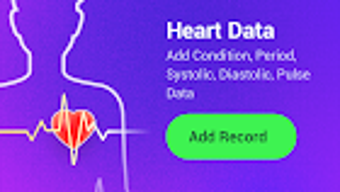
BPWatchX features a clean, intuitive interface optimized for mobile use, with straightforward navigation between input forms, charts, and settings. The workflow is designed around minimal steps: users enter their systolic and diastolic values, optionally add notes, and save the entry. The dashboard provides immediate access to recent readings and visual summaries, supporting quick assessments.
Navigation between sections is smooth, with clear labels and logical grouping of functions. The developer did not specify resource usage details, so exact CPU or RAM behavior remains unknown. Performance observations are based on general software behavior patterns typical of lightweight Android applications.
Stability during regular use appears consistent, though no formal testing data was provided. The app operates without visible lag or crashes in standard usage scenarios. No information was shared regarding background processes, battery impact, or update frequency.
Overall, the interface prioritizes usability and clarity, making it accessible for users of varying technical experience levels.
Compatibility & System Requirements
BPWatchX is designed for Android operating systems and is available as a free application. The current version is 1.0, with a file size of 12.4 MB, indicating a lightweight footprint suitable for devices with limited storage. The developer did not specify exact system requirements, such as minimum Android version or hardware specifications.
Compatibility information was partially provided, leaving details about supported devices and processor capabilities unclear. Users should ensure their device runs a compatible Android version, though the exact version range is not disclosed. Installation is straightforward, and the app does not require administrative permissions beyond standard access for data storage and notifications.
No information was shared regarding cloud sync, data backup, or integration with other health platforms. The app appears to function entirely offline, which may appeal to users prioritizing data privacy.
Pros and Cons
Pros
- Free to download and use with no in-app purchases
- Simple, user-friendly interface ideal for health tracking beginners
- Visual charts and graphs for clear trend analysis
- Customizable reminders to support consistent tracking habits
- Personalized recommendations based on user input
Cons
- Manual data entry required—no integration with smart blood pressure monitors
- No information on system requirements or minimum Android version
- App is limited to Android; no support for iOS or desktop platforms
- Does not replace professional medical advice or diagnosis
- Offline-only functionality with no cloud backup or sync options
FAQ Section
Is BPWatchX compatible with iOS devices?
BPWatchX is currently available only for Android. There is no official version for iOS or desktop operating systems.
Is the app safe to use for medical tracking?
BPWatchX is intended for personal tracking and wellness insights. It is not a substitute for professional medical advice, diagnosis, or treatment. Users should consult a qualified healthcare provider for medical concerns.
Does BPWatchX require an internet connection?
The app functions offline and does not require an internet connection for core features such as data entry, chart viewing, or reminder alerts.
How often should I update BPWatchX?
Updates are released by the developer as needed. Users should check the app store for the latest version to ensure access to improvements and bug fixes.
Can I back up my health data?
There is no built-in cloud backup or sync feature. Data is stored locally on the device. Users are advised to manually export or save their records if needed.
Final Thoughts + CTA
BPWatchX offers a straightforward, accessible solution for individuals seeking to monitor their blood pressure through personal tracking. Its clean interface, visual analytics, and reminder system make it a practical tool for building consistent health habits. While it lacks integration with external devices and cloud backup, its simplicity and free availability make it a viable option for users who prefer manual input and offline operation.
The app’s emphasis on wellness insights and personalized guidance supports proactive heart health management. However, it should never be used as a replacement for medical evaluation. For those looking to take small, consistent steps toward better cardiovascular awareness, BPWatchX delivers a reliable, no-cost entry point.
Download BPWatchX now and take control of your heart health journey with confidence.







